The Studio Office
The admin and client portal behind this website — the same kind of web application we build for clients, and the one we run the studio on every day.
Every screen below is real and working. The clients in them are our concept businesses, so no one’s private details are shown.
- ScrollScrollDashboard
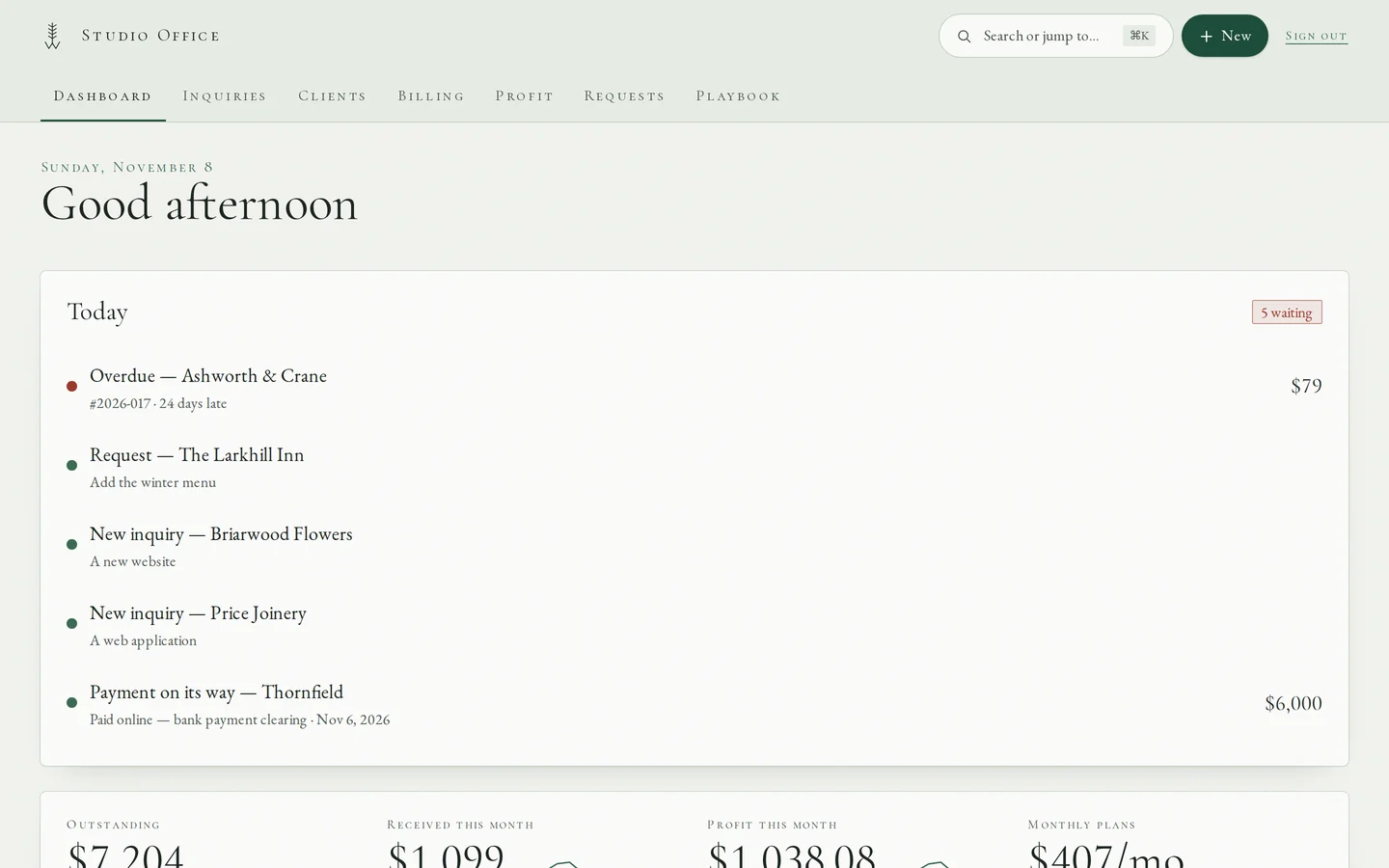
The day, at a glance
Sign in and the office tells you what needs doing: overdue invoices, new inquiries, client requests and payments on their way, in one list. Below it, this month’s money in, profit and recurring plans, each with its trend.
- Today list built from live data
- Figures with month-on-month trends
- Says “All clear” when there’s nothing waiting

- ScrollScrollClients
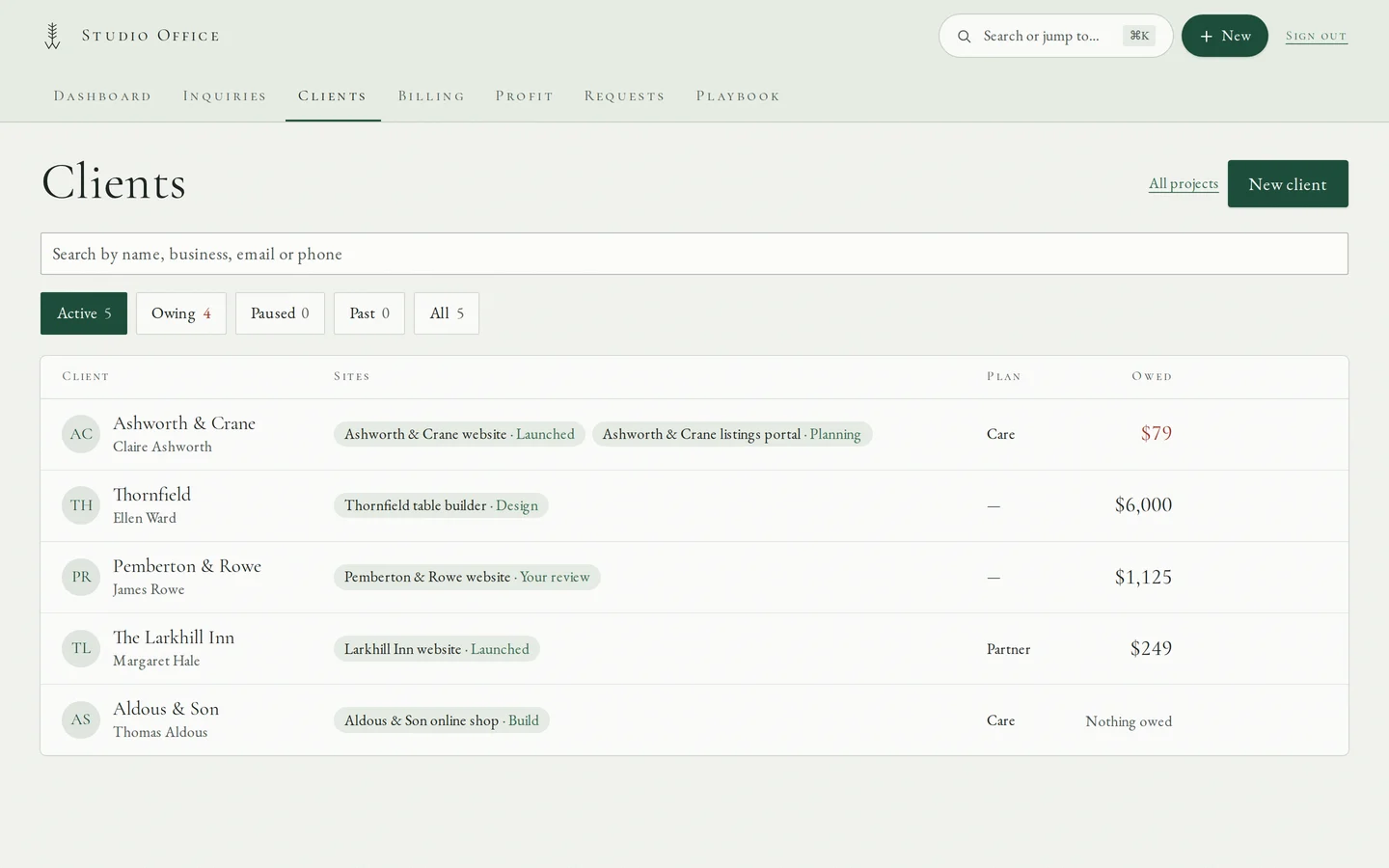
Every client, every site
One list of everyone the studio works for, with what they owe, their monthly plan and their sites. Founding clients are flagged, and the places left on the Pricing page update from that flag automatically.
- Balances and plans in one table
- Founding-client places counted live
- Search and filter by status

- ScrollScrollClient record
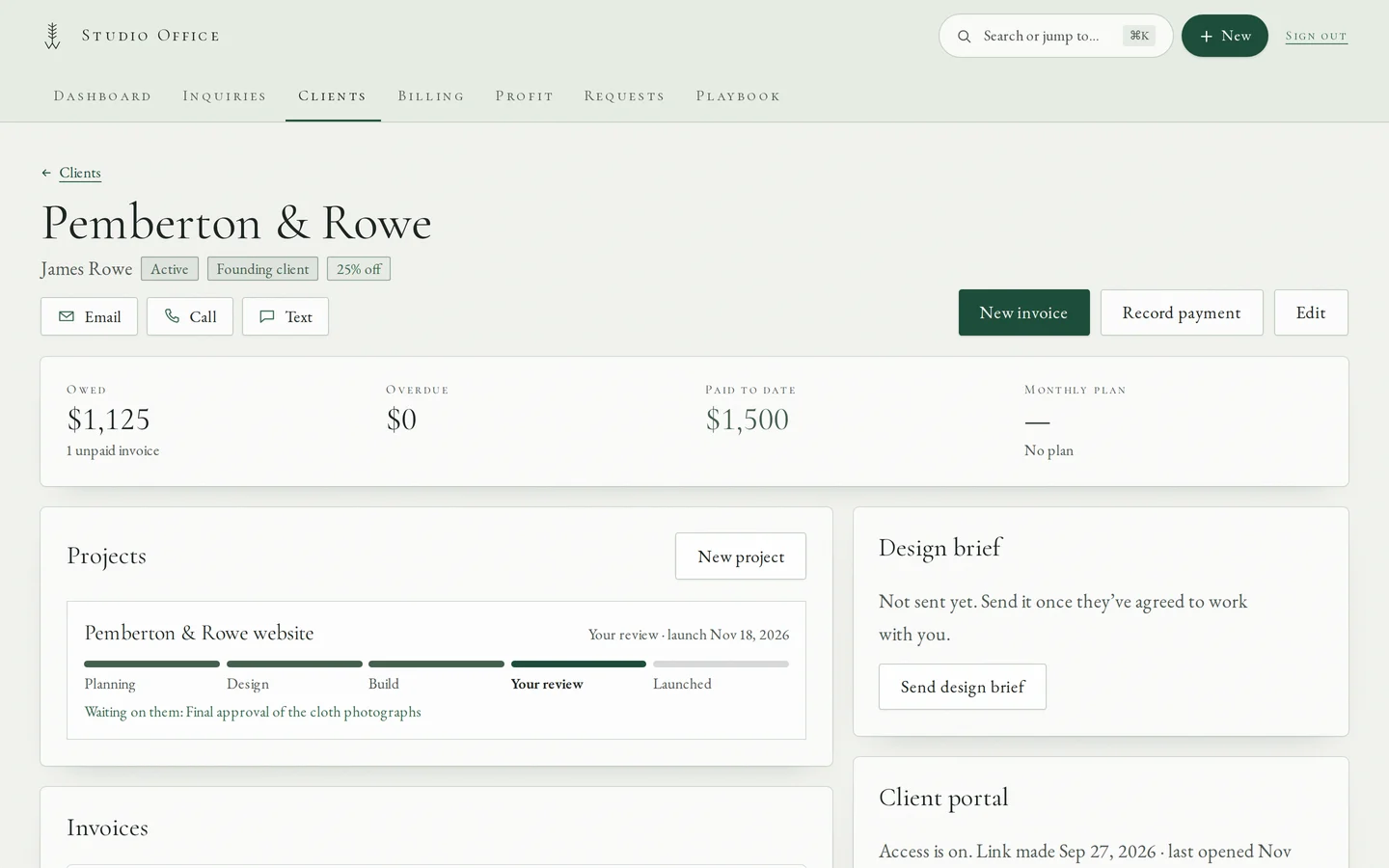
The whole relationship on one page
Contact details, projects, invoices, payments and the portal link live together. Discounts are set per client — for family, friends or a charity — and carry through to every invoice automatically.
- Per-client and per-invoice discounts
- One-click portal invite by email
- Every change confirmed with a toast

- ScrollScrollBilling
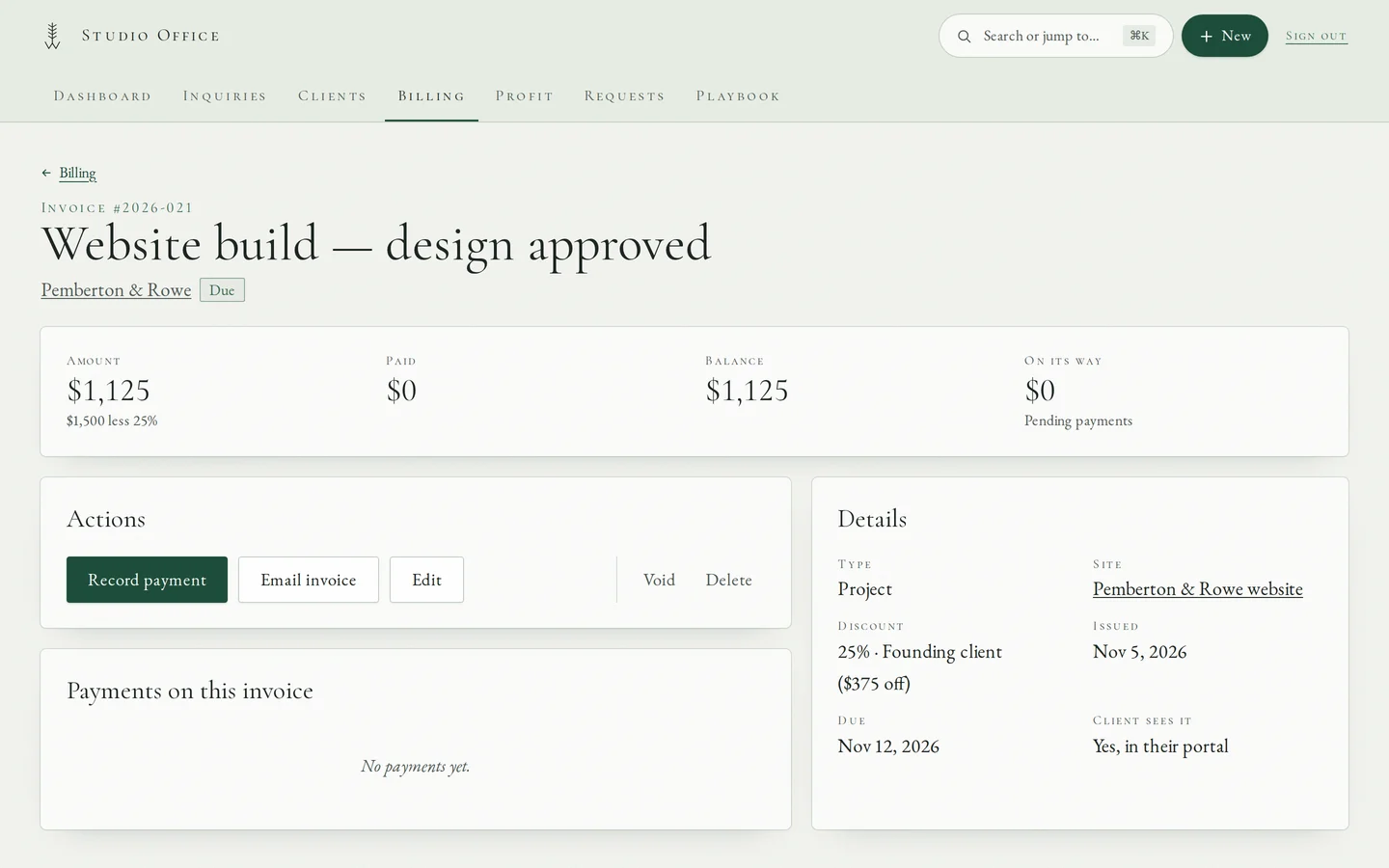
Invoices that pay themselves
Create an invoice, send it, and the client pays online by card or bank transfer. Stripe confirms the payment, the invoice marks itself paid, and the processing fee is booked as a cost without anyone typing it in.
- Online payment through Stripe
- Discounts shown line by line
- Fees recorded automatically

- ScrollScrollClient portal
A private room for each client
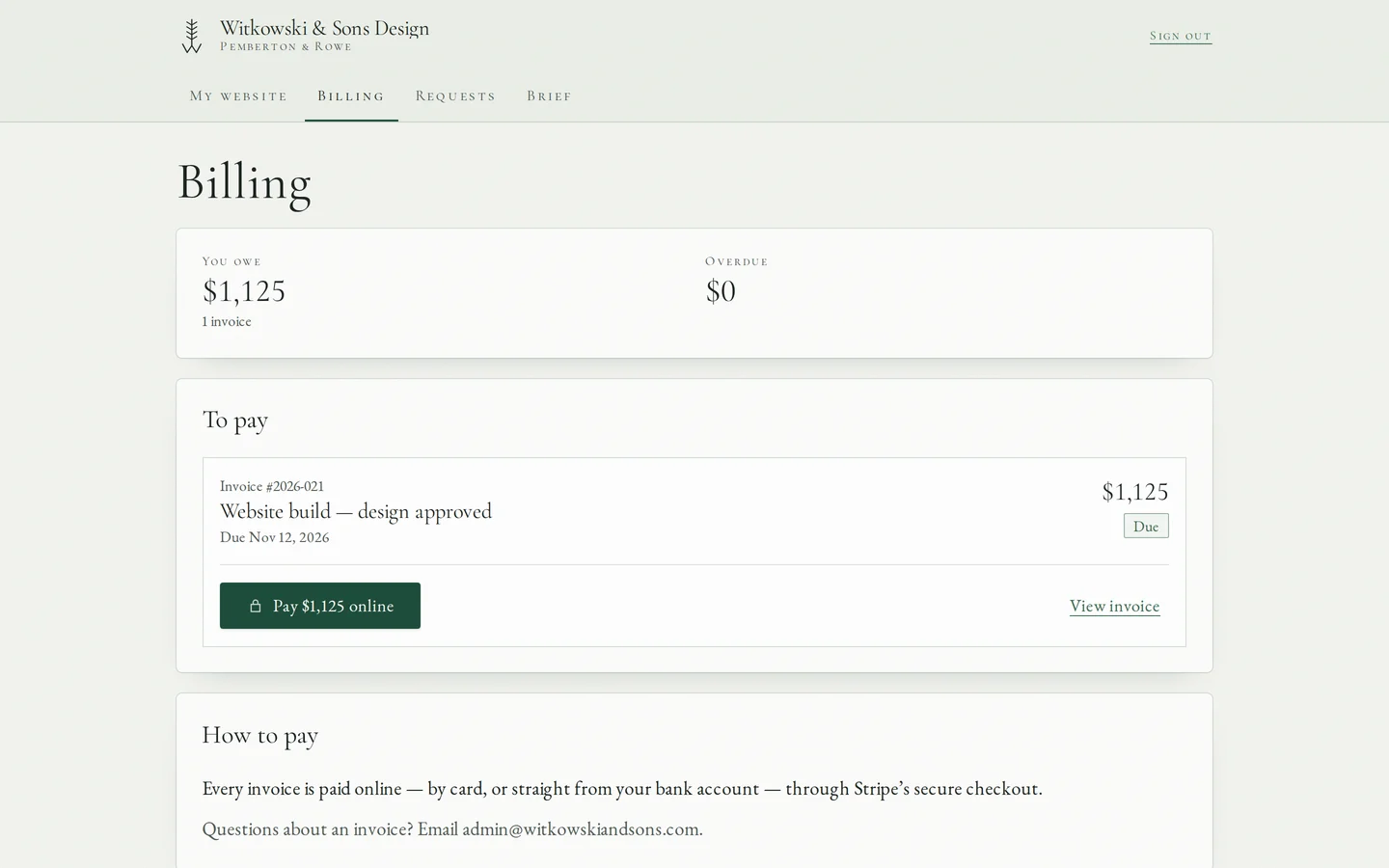
Clients get their own portal: project updates, invoices to print or pay, and a place to send requests. No passwords to forget — a secure link signs them in.
- Pay online from any invoice
- Project updates and requests
- Printable, PDF-ready invoices

- ScrollScrollProfit
What the studio actually keeps
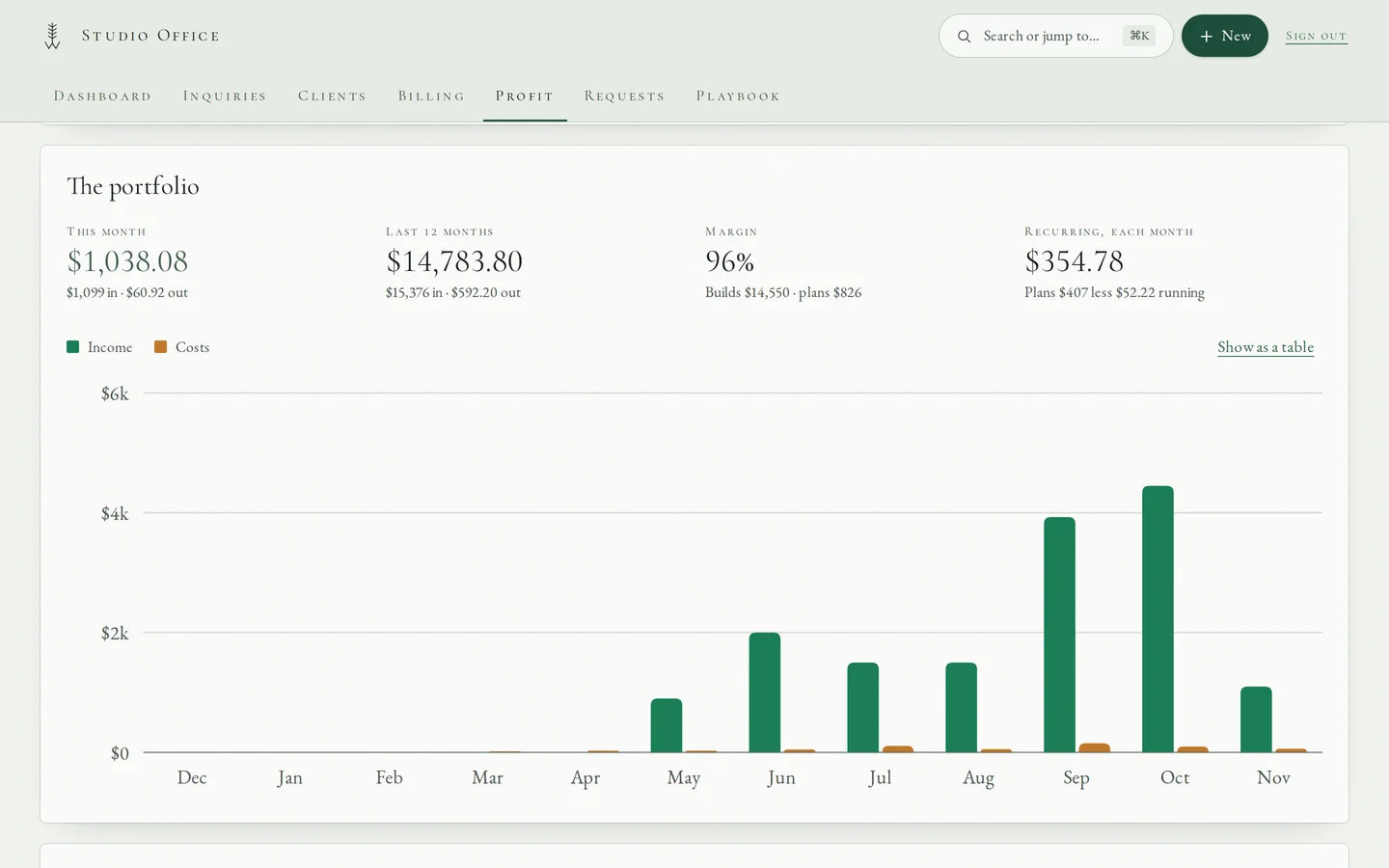
Income against costs, for the whole portfolio or filtered down to one client and one site. Hosting and database usage come straight from Vercel and Neon, so the numbers stay current without a spreadsheet.
- Portfolio, client and site views
- Live hosting and database costs
- Chart with an accessible table view

- ScrollScrollProjects
Every resource, one place
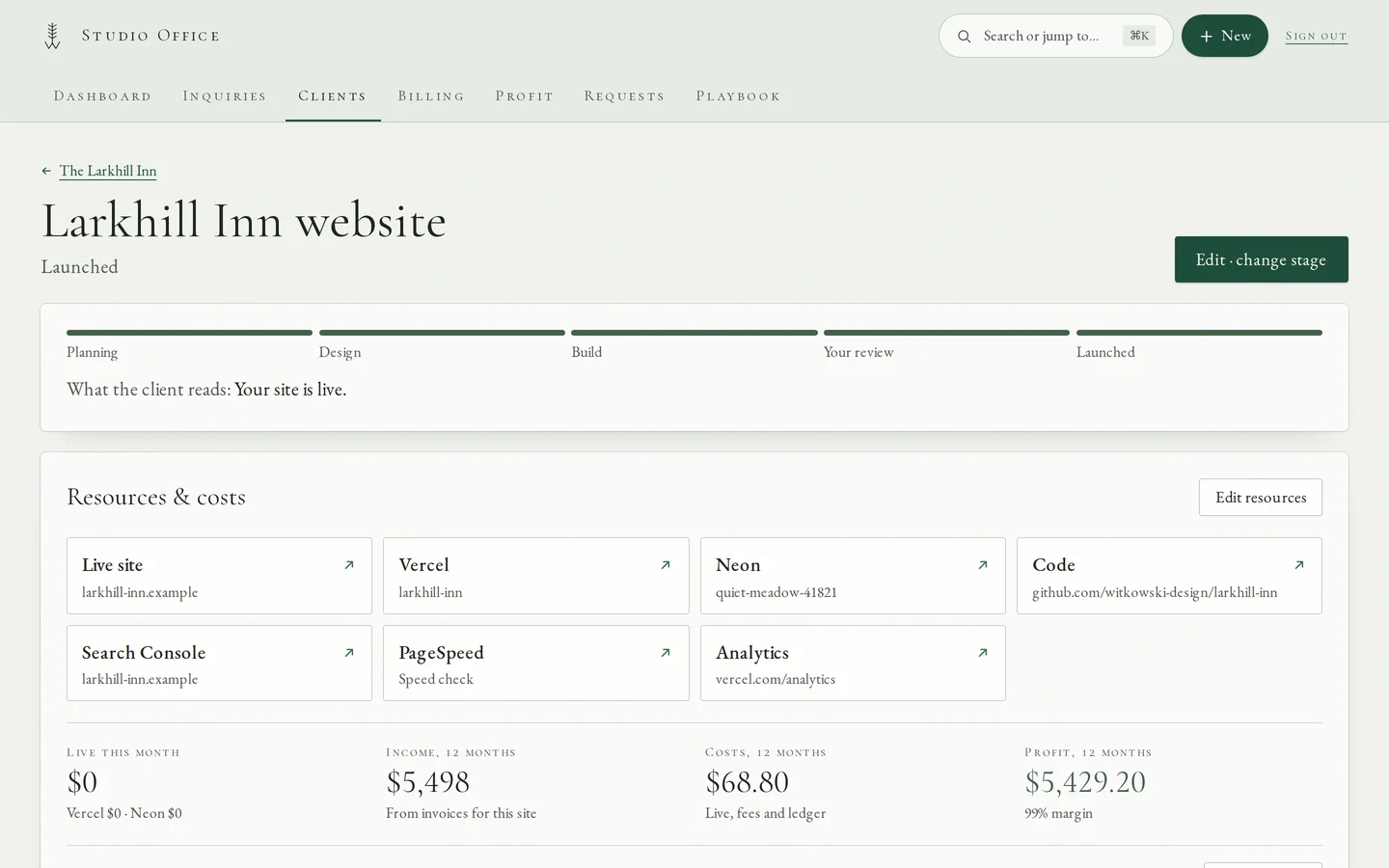
Each project keeps its links — live site, repository, hosting, database, analytics — beside the costs it runs up each month. Anyone picking up the work knows exactly where everything lives.
- Links to every service a site uses
- Running costs per project
- Handover-ready by design

- ScrollScrollCommand bar
Anything, in a keystroke
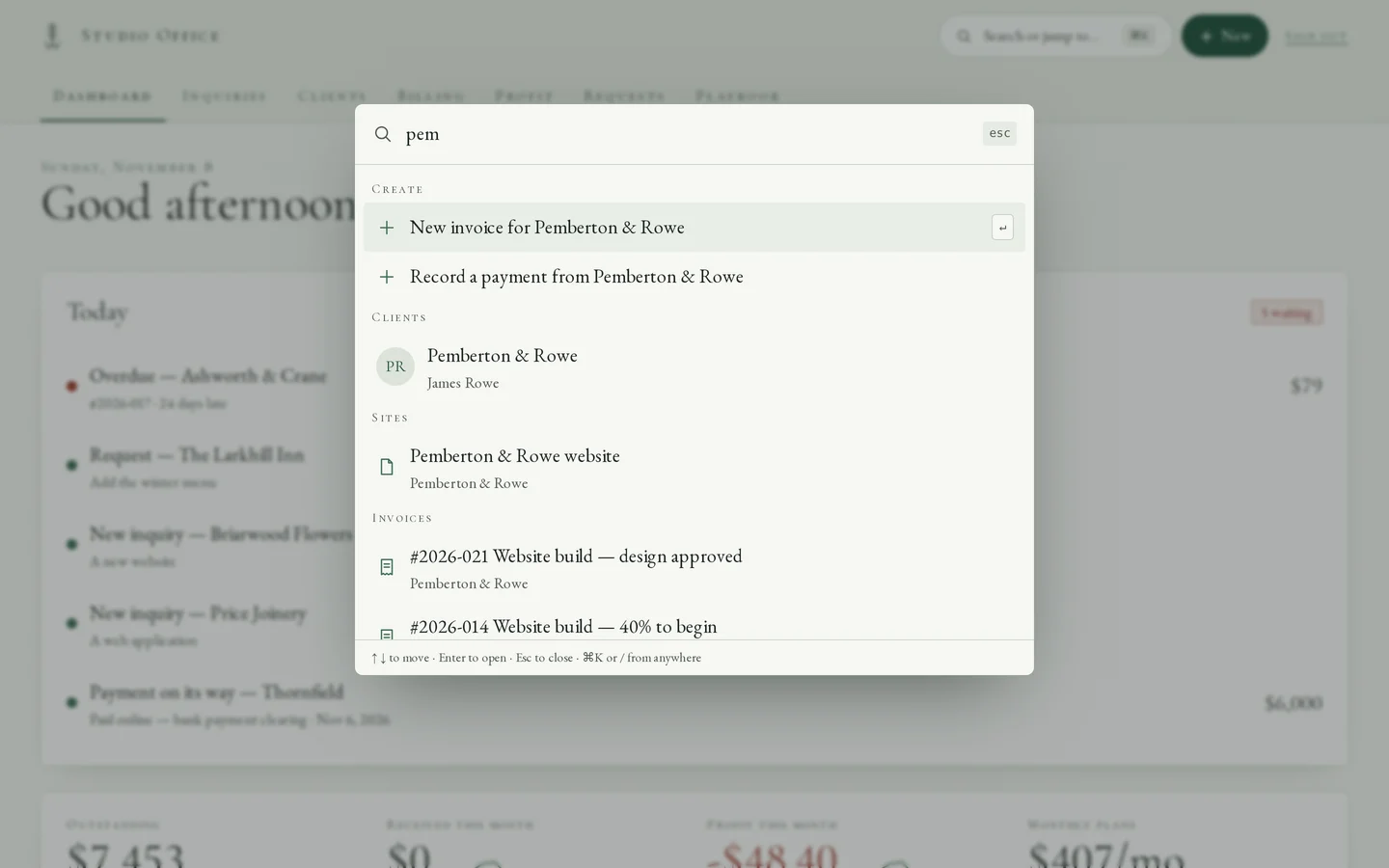
Press ⌘K and type a few letters to jump to any client, project or invoice, or start something new. The + New button does the same from anywhere in the office, on a phone too.
- Search across the whole office
- Create invoices, clients and costs from anywhere
- Works on desktop and phone

Want tools like these for your business?
Tell us a little about your business. We reply within one working day with honest advice — and, after a short call, a fixed quote.
Start a Project